Capability · Client Communications
Every client, kept in the loop.
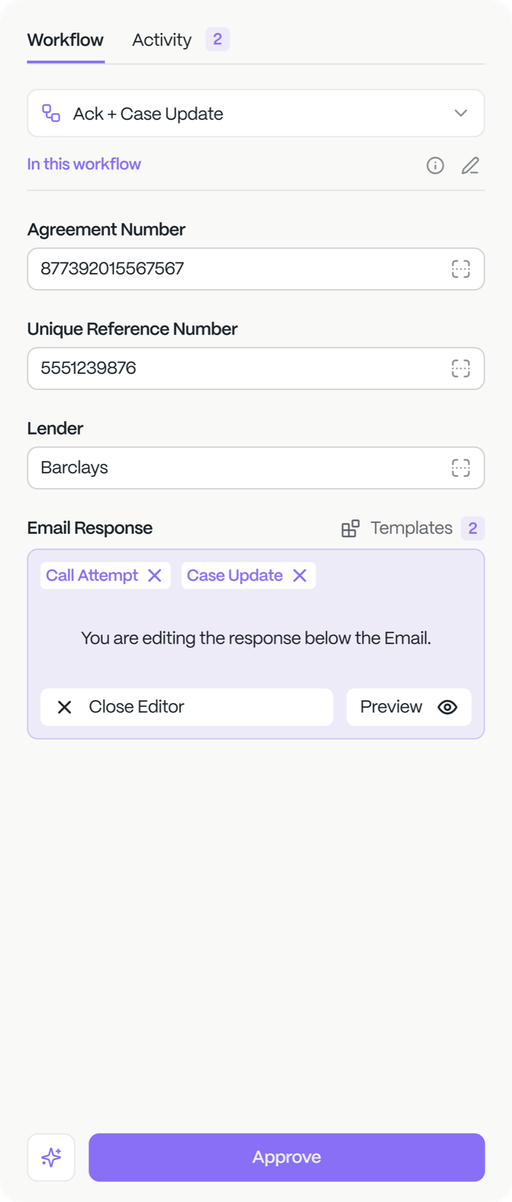
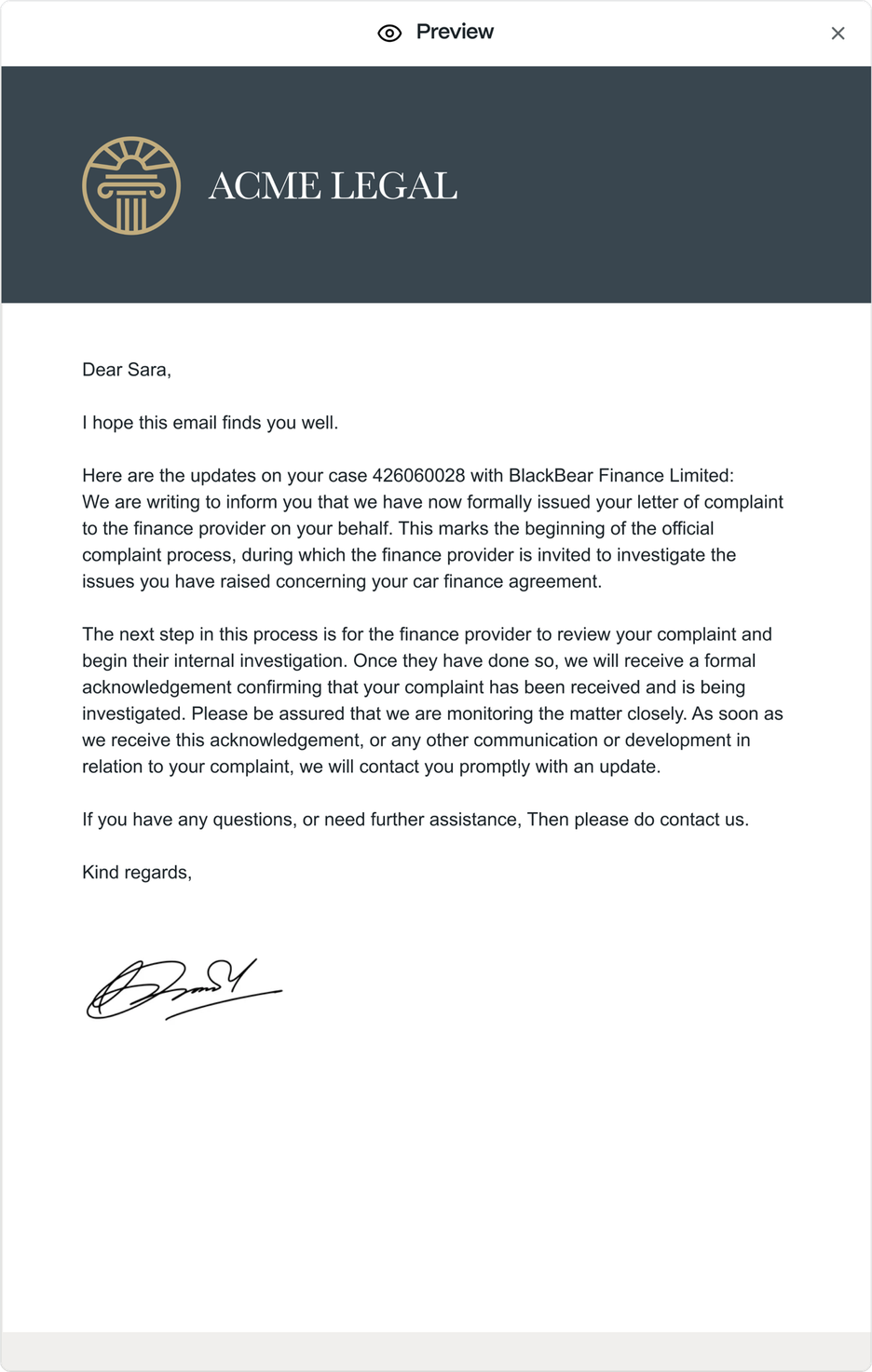
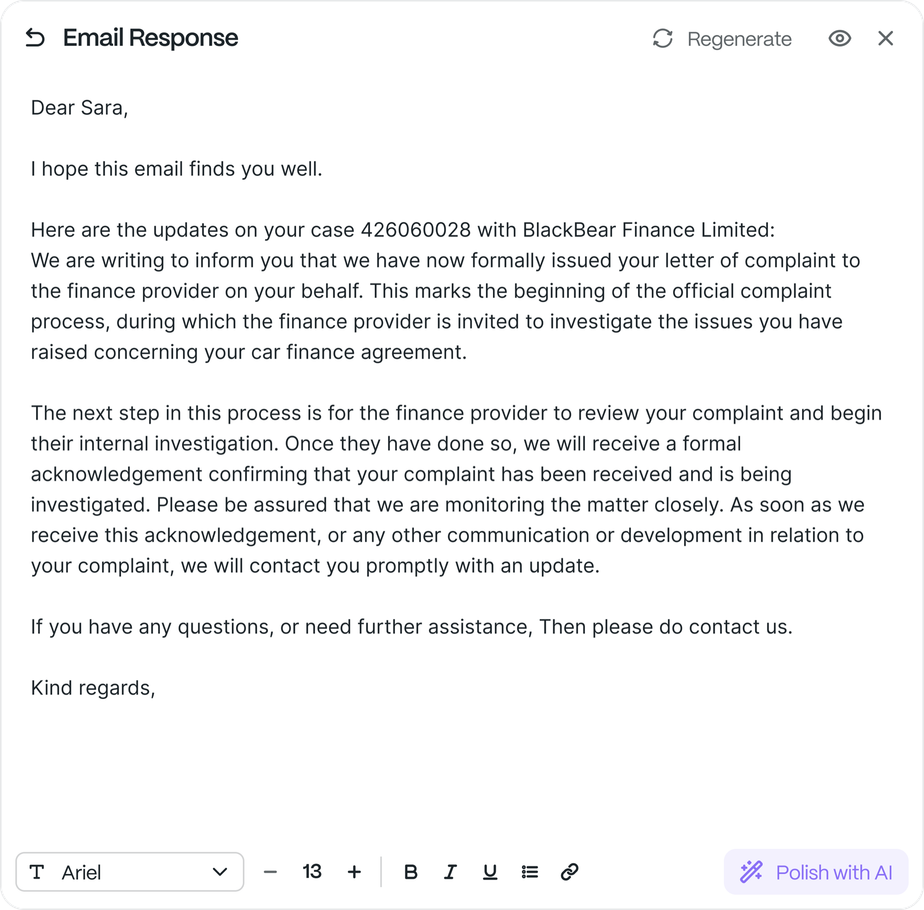
The other side of the inbox is the client. Client Communications drafts the welcome, the status update, the cancellation confirmation, the DSAR acknowledgement and the answer to the “where’s my claim?” email, from the file, in your firm’s voice, with a person approving each, across a book of thousands.
What firms running Claim Inbox are seeing
- Less handling time
- 96%
- Capacity from the same team
- 27×
- Person approves every send
- 1 click
What it does
The messages a client actually waits on.
The updates, answers and confirmations that keep a client informed: drafted from the file, approved by a person, sent in your firm’s voice.
Welcome & onboard
The welcome message and first steps sent as soon as a case opens; the client knows what happens next before they think to ask.Status & milestone updates
The client told when something moves on the file, before they have to chase it, and without a handler writing the same note by hand.Answer client queries
Common questions answered from the file (where the claim is, what’s outstanding, what happens next), drafted for a person to approve.Acknowledge & confirm
DSAR acknowledgements, cancellation confirmations and receipt notes drafted the moment they’re due, nothing left sitting unacknowledged.Chase missing client info
The ID, the signature or the form you’re waiting on: requested clearly and followed up, so the file isn’t stuck on a gap.Keep the thread on the file
Every message logged to the case, not scattered across personal inboxes: the whole conversation in one place, on the record.
How does it work
Trigger, draft, approve;
then it’s sent.
Trigger
An event on the file (a case opened, a milestone reached, a query in) sets the right message in motion.
Draft
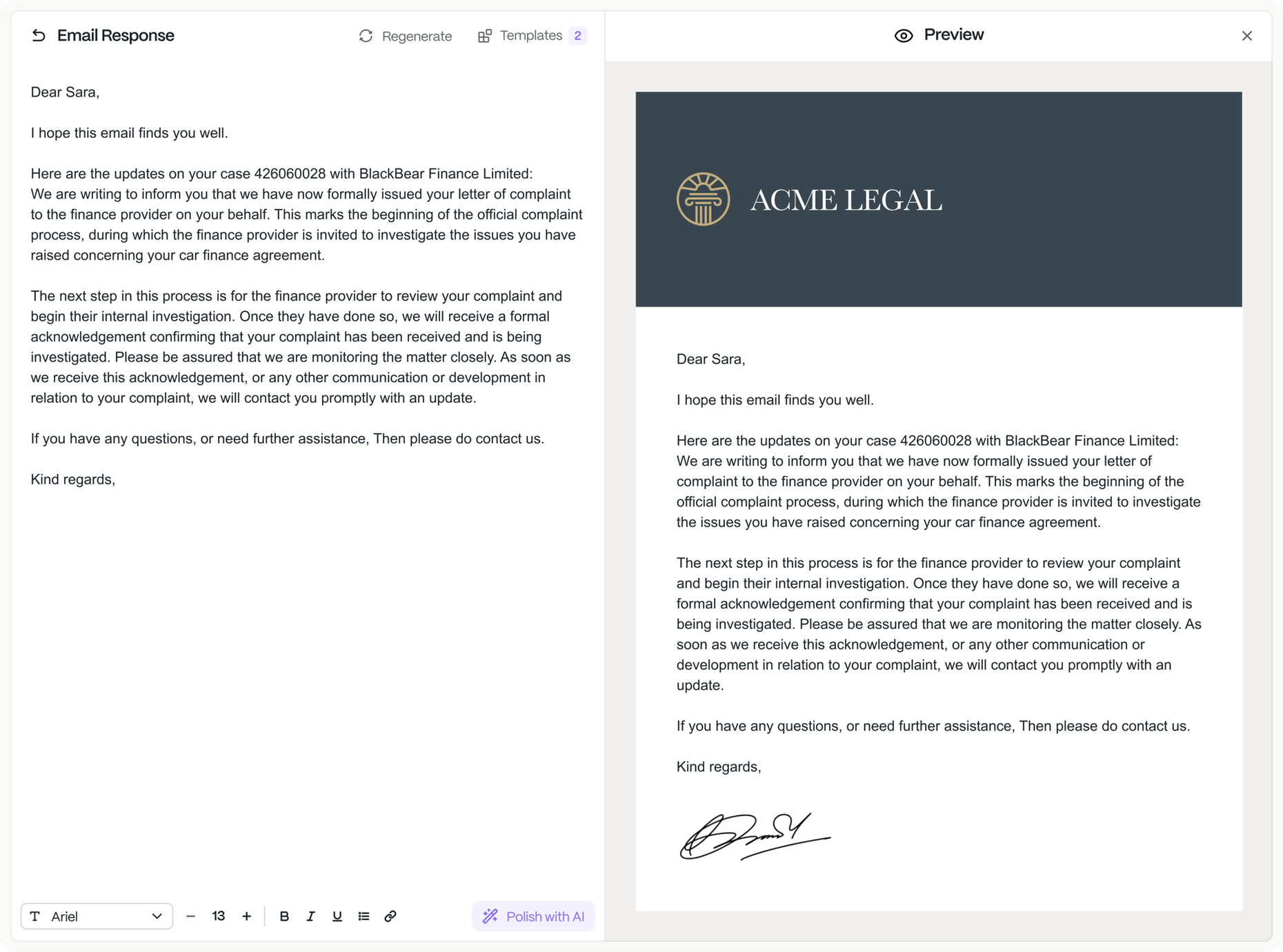
The message is drafted from the case data, in your firm’s voice: the right facts, the right tone, ready to read.
Approve
A person reads it and approves in one click; nothing reaches a client without a human saying yes.
Send & log
The approved message is sent and logged straight to the case: on the file, on the record, in the thread.
Across claim types
One capability, every kind of client update.
PCP & motor finance
Cancellation confirmations and DSAR acknowledgements drafted and logged at book scale: thousands of clients kept current without a handler writing each note.
Personal injury & NIHL
Audiogram confirmations and records updates drafted from the file and kept on the case: the client told what’s in and what’s next.
Housing & data breach
Protocol updates and cohort‑wide client updates drafted at once: a whole group told where their claim stands, each message approved.

The rest of the platform
Six capabilities, one operation.
Every capability is a block in the Saber Workflow Builder; here’s the whole platform, and where you are in it.
Document Intelligence
Reads DSARs, medical and MOD records (handwritten, scanned, hundreds of pages) and extracts every field, anchored to the source.
Correspondence Processing
Inbound mail classified against the right case, the request actioned and the reply drafted: the queue that clears itself.
Client Communications
You are hereUpdates, acknowledgements and query answers drafted and sent, on the file, in your voice, with a person approving each.
Claim Intelligence
Eligibility and merit assessed from FOS outcomes and your own data; the right claims move, the weak ones are caught early.
Paralegal Performance
Every handler’s throughput, live: who’s flying, who’s stuck, where to coach.
Book Intelligence
Live portfolio visibility: tranche performance, where the book is stuck, what to chase.
Automate your book
with Saber.
Send us one workflow you run today: a DSAR, a batch of lender mail, a round of client updates. By the end of the week we’ll show it read, actioned and ready for a paralegal to approve, on your data. No fee, no commitment.
Extraction you can defend
Every figure is anchored to its source page and a person approves it; nothing enters the case unchecked. Full audit trail, ISO 27001 and ISO 42001 certified, UK‑only data residency, never used to train our models.