Capability · Correspondence Processing
The correspondence queue that clears itself.
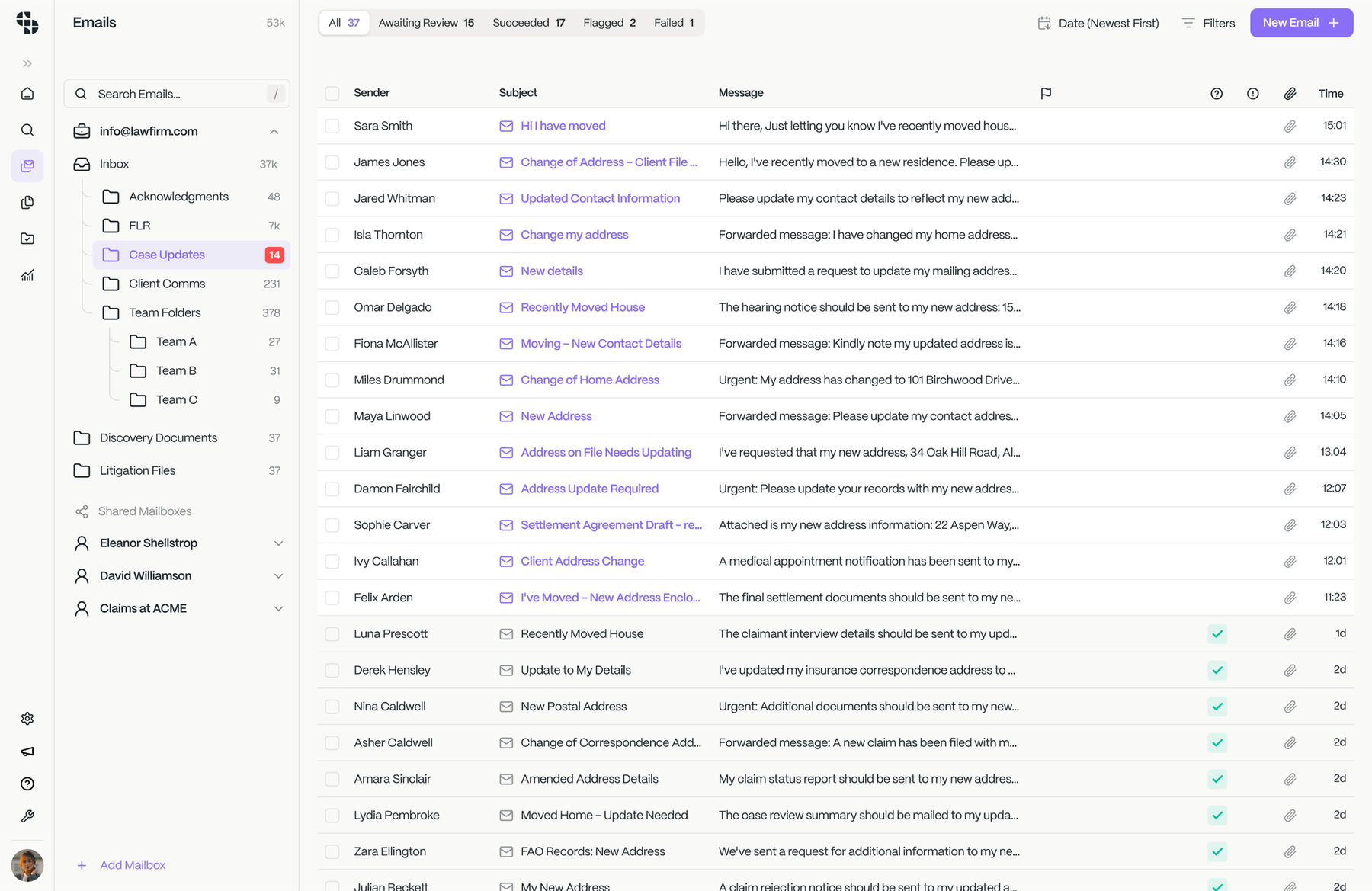
In group litigation, most incoming mail comes from lenders, defendants, and others: acknowledgements, updates, DSAR responses, and requests. Correspondence Processing reads, classifies, extracts info, drafts replies, and updates status, with a paralegal approving in one click, integrated with your existing case system.
What firms running Claim Inbox are seeing
- Less handling time
- 96%
- Capacity from the same team
- 27×
- To a matched, drafted reply
- Seconds
What it does
From inbox to actioned, in one pass.
Not just sorted into folders: read, matched, drafted and moved on, with a person approving each step.
Classify against the case
Every email or letter matched to the right matter on reference, name, or the detail buried in an attachment, not left in a shared inbox for someone to sort.Extract what it needs
The figures and facts the case needs pulled from the body and the attachments, anchored to the source they came from.Draft the reply
The right response drafted from the file, ready for a person to approve or edit, never sent on its own.Action the request
The underlying task done and the case status moved on, not just filed away for later; the queue actually shrinks.Route to the right team
Handoffs to costs, medical review or a named file handler made automatically, instead of forwarded by hand and lost in a chain.Flag the exceptions
Anything unusual or low‑confidence held back and flagged for a person, never auto‑sent, never guessed at.
How does it work
Land, classify, draft;
then a person approves.
Land
The item arrives from the inbox, a portal or the case file, whatever the sender used.
Classify
Read and matched to the right case on reference, name or a detail inside an attachment.
Draft & extract
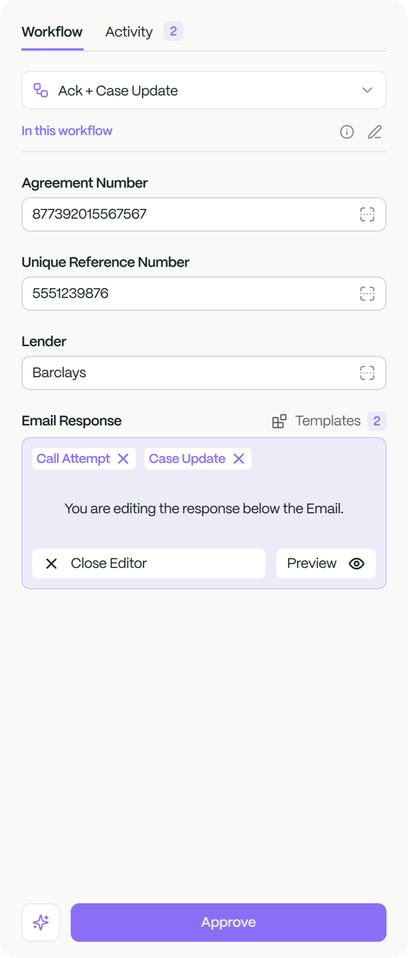
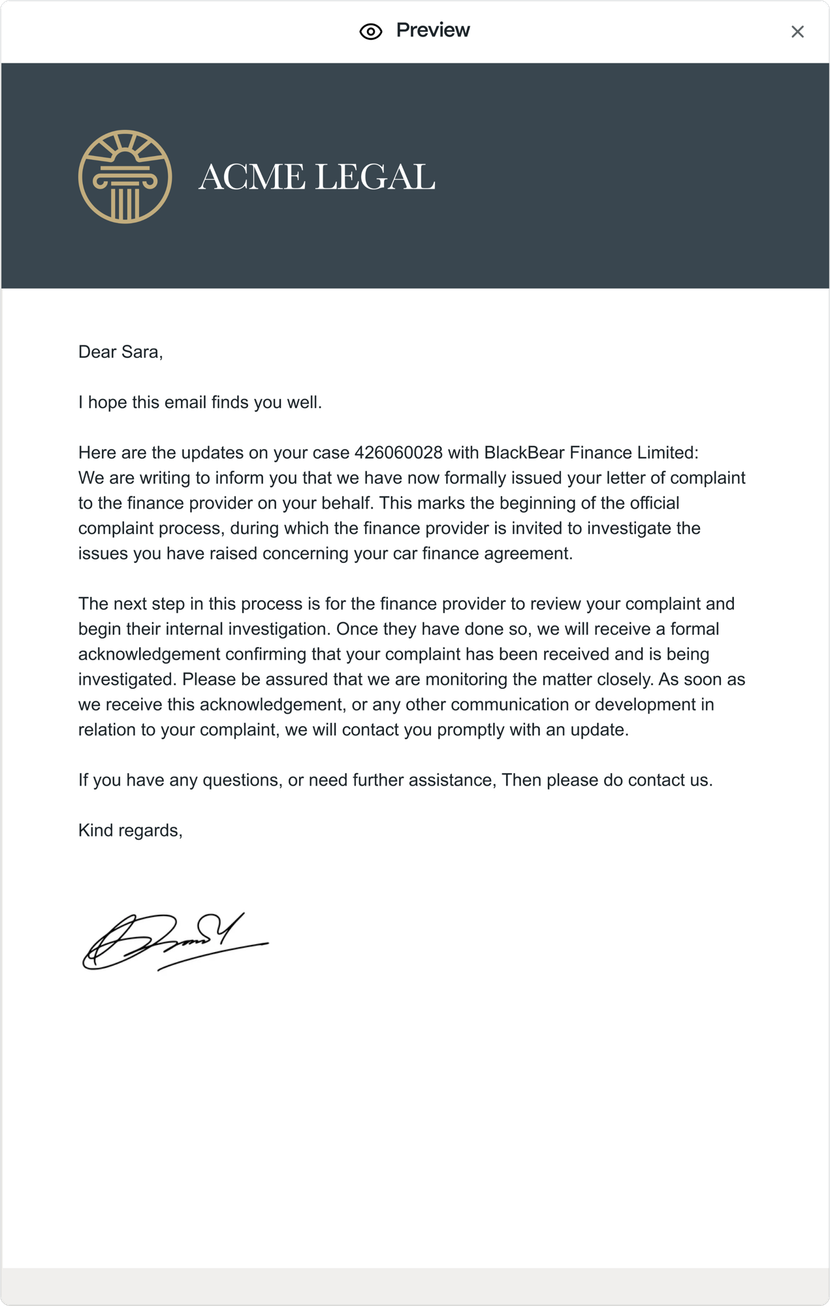
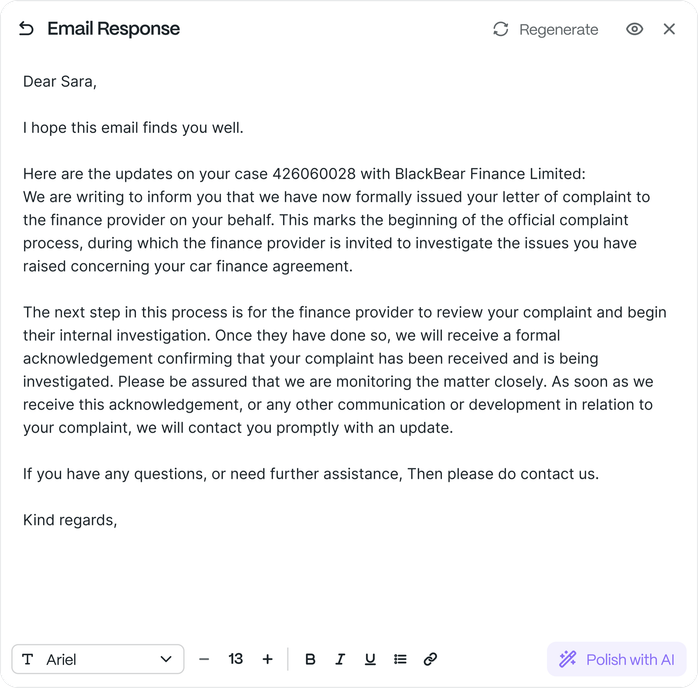
The reply drafted from the file and the fields it needs pulled and anchored to source.
Approve
A paralegal approves in one click; then it’s sent, the status moved and the action logged.
Across claim types
One engine, every inbound stream.
PCP & motor finance
Lender mail is the bulk of inbound: acknowledgements, DSAR responses and updates classified, filed and actioned against the right case.

NIHL & industrial disease
Records, audiogram and provider correspondence read and routed to the right team (medical review, costs or a file handler) automatically.

Personal injury & housing
Landlord disclosure and defendant correspondence sorted against the matter, nothing left waiting in a shared inbox.

The rest of the platform
Six capabilities, one operation.
Every capability is a block in the Saber Workflow Builder; here’s the whole platform, and where you are in it.
Document Intelligence
Reads DSARs, medical and MOD records (handwritten, scanned, hundreds of pages) and extracts every field, anchored to the source.
Correspondence Processing
You are hereInbound mail classified against the right case, the request actioned and the reply drafted: the queue that clears itself.
Client Communications
Updates, acknowledgements and query answers drafted and sent, on the file, in your voice, with a person approving each.
Claim Intelligence
Eligibility and merit assessed from FOS outcomes and your own data; the right claims move, the weak ones are caught early.
Paralegal Performance
Every handler’s throughput, live: who’s flying, who’s stuck, where to coach.
Book Intelligence
Live portfolio visibility: tranche performance, where the book is stuck, what to chase.
Automate your book
with Saber.
Send us one workflow you run today: a DSAR, a batch of lender mail, a round of client updates. By the end of the week we’ll show it read, actioned and ready for a paralegal to approve, on your data. No fee, no commitment.
Extraction you can defend
Every figure is anchored to its source page and a person approves it; nothing enters the case unchecked. Full audit trail, ISO 27001 and ISO 42001 certified, UK‑only data residency, never used to train our models.